Week 1 Reflection
Reflection:
What was the task?
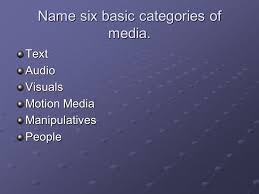
The Six Types of Media:
We were introduced to some "New Technological Applications":
1. Blogger.com
2. Google Drive Form
3. Mind Map, Wordie, Prezi
4. Podcast
5. Video
6. Spreadsheet Gradebook
7. Word Processed Documents
The various learning styles:
1. Visual Learners
2. Kinesthetic Learners
3. Auditory Learners

The Introduction to Gmail, Hotmail and Moodle


Outline of Task Done:
The Task of creating a Gmail and Hotmail account was done prior to this class session. However,
the feature of blogging was new:
How to set up my blogging account: Blogger.com - Sign into my existing Gmail account- Agree to the terms for upgrading my "google account" - Notice: Welcome to blogger.com - Select Language - Confirm profile - Select continue - Select New blog - then select drop bar "New Blog" - Blog list - Create New Blog "Title" : Exploring Technology - Blog address: shellomane.blogspot.com - choose a "Theme" (Awesome Inc) - Select create blog (Blog is now Created)
What have I learned
I have learnt how to set up my blog account. In addition, to exploring its featured, how to add pages. Also, how to add friends and even how to publish a blogging post. Therefore, I am able to share my work, or viewing my contacts post by a click of a button.
My Implementation of this new knowledge is needed in the classroom. Hence, I can share various task with my students. Allowing them access to my blog to complete the task. In addition to viewing any other additional information which is made avaiable to them.
What was the task?
The Six Types of Media:
We were introduced to some "New Technological Applications":
1. Blogger.com
2. Google Drive Form
3. Mind Map, Wordie, Prezi
4. Podcast
5. Video
6. Spreadsheet Gradebook
7. Word Processed Documents
The various learning styles:
1. Visual Learners
2. Kinesthetic Learners
3. Auditory Learners
The Introduction to Gmail, Hotmail and Moodle
Outline of Task Done:
The Task of creating a Gmail and Hotmail account was done prior to this class session. However,
the feature of blogging was new:
How to set up my blogging account: Blogger.com - Sign into my existing Gmail account- Agree to the terms for upgrading my "google account" - Notice: Welcome to blogger.com - Select Language - Confirm profile - Select continue - Select New blog - then select drop bar "New Blog" - Blog list - Create New Blog "Title" : Exploring Technology - Blog address: shellomane.blogspot.com - choose a "Theme" (Awesome Inc) - Select create blog (Blog is now Created)
What have I learned
I have learnt how to set up my blog account. In addition, to exploring its featured, how to add pages. Also, how to add friends and even how to publish a blogging post. Therefore, I am able to share my work, or viewing my contacts post by a click of a button.

Comments
Post a Comment